Cancelling a subscription should be the easiest thing a provider does, and the way a provider handles it tells you most of what you need to know about them. A good provider cancels in one message, confirms in writing, and lets the service run until the paid time ends. A bad provider hides the cancel button, asks you to call a number that never answers, or charges an extra month while you are still trying to leave. This guide covers the honest version: how to cancel here, what happens to your service, your money and your login when you do, and the timing mistakes that cost people a month they did not want.
First, the distinction that causes most confusion. Cancelling the renewal and asking for a refund are two different things, and they have different rules. Cancelling the renewal means the service runs until the time you already paid for ends, and then stops, with no further charge. Asking for a refund means money you already paid comes back, and that only applies when the service does not work and support cannot fix it, within 7 days on short plans and 30 days on yearly plans. You can cancel the renewal at any time, for any reason, with no fee. You can only get a refund inside the window and for a fault, not because you changed your mind after a month of watching. The full terms are on the refund policy page, and they are short enough to read before you message anyone.
How to cancel your IPTV subscription, step by step
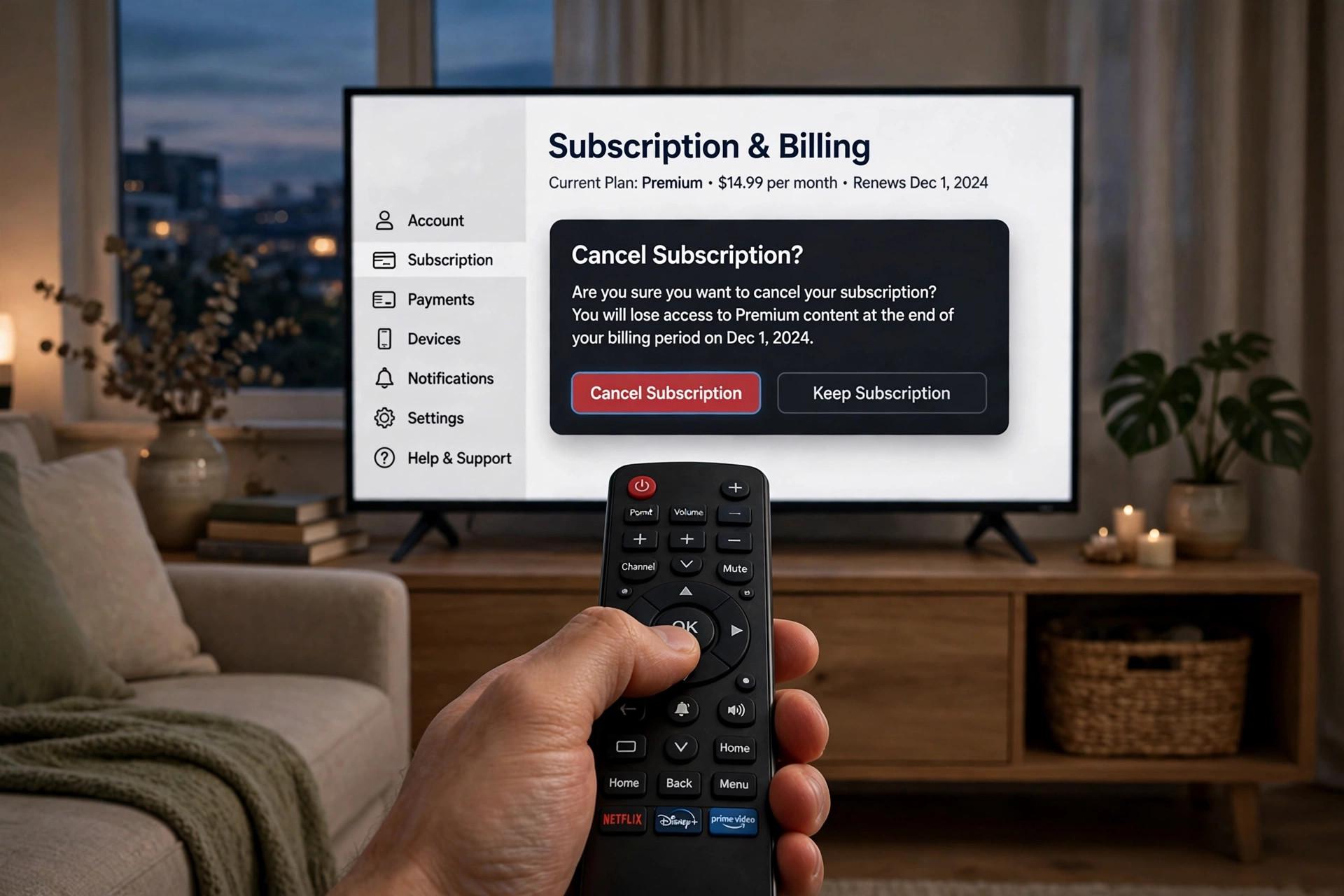
Message support on WhatsApp at +212 604 034 330 and say, in plain words, that you want to cancel the renewal of your subscription. Include the name or the login the subscription is under, so the team finds the right account, and the date you want it to end. The team replies with a confirmation that the renewal is cancelled and the date the service will stop. That reply is the record, so keep it. Do not delete the chat, and do not rely on a verbal promise. If the reply does not come within a few hours, send the message again, because a cancellation that was never confirmed is a cancellation that never happened.
- Message support on WhatsApp: state the account name and that you want the renewal cancelled.
- Ask for the confirmation in writing, with the date the service will stop.
- Check the renewal date first: cancel at least two days before it, so a slow reply cannot push a renewal through.
- Check the next bank statement to confirm no further charge appears.
If you paid by card through Stripe, cancelling the renewal stops the next charge, and the card is not charged again. If you paid another way — a method confirmed on WhatsApp at the time — the same rule applies: no renewal, no charge. There is no form to fill in, no phone call to make, and no fee for cancelling. If a provider ever asks for a cancellation fee, or asks you to pay to stop paying, that is a reason to dispute the charge with your bank and to warn others. A subscription is a service you rent by the month or by the year, and the rent stops when you say stop.
What happens after you cancel
The service keeps working until the paid time runs out. Cancel a monthly plan on the 10th of the month and it works until the month ends. Cancel a yearly plan in March and it works until the year ends next March. The login stays live, the playlist stays loaded, and the channels keep working, because you paid for that time and the time is yours. What stops is the renewal: when the paid time ends, the login stops working, the playlist goes dark, and the app shows a login error. That is the service ending, not a fault, and messaging support at that point will not restart it without a new payment.
Your favorites, your place in a series and your app settings stay on your devices, because they live in the player app, not on the account. If you come back later and buy a new subscription with the same login, the playlist loads again and the favorites are still there on the devices you left them on. Your place in a series is usually still there too, because the app remembers it locally. The account itself is not deleted when you cancel, and your messages on WhatsApp stay in the chat history, so coming back is a message, not a fresh start. If you want the account deleted entirely, say so in the cancellation message, and the team will remove it.
When to cancel: timing that saves you a month
The renewal date is the only date that matters, and it is the date on your bank statement, not the first of the month. A monthly plan bought on the 14th renews on the 14th of every month. A yearly plan bought on the 14th of March renews on the 14th of March next year. Cancel at least two days before that date. The reason is practical: if support is slow to reply, or the message is sent on a Sunday evening, a cancellation sent on the renewal day itself can land after the charge has already gone through, and the money for the next month or year is spent. Two days of margin costs nothing and saves a month.
The other timing mistake is cancelling before a big night. A household that cancels on a Friday, intending to go without TV for a while, and then discovers the Super Bowl is on Sunday, has a problem that no message can fix in time. If there is a game, a fight night or a finale coming up, let the paid time run through it and cancel after. The service is paid for, so use it. The monthly vs yearly guide explains how the two lengths renew, and the same timing rule applies to both: cancel before the renewal, not before the thing you wanted to watch.
Cancelling vs pausing: is there a pause option?
There is no formal pause button, because a subscription is time, and time does not pause. But the effect of a pause is easy to get by choosing the right length. A household going away for the summer does not need to pause a year plan: it needs to let the year end and buy a new plan when it returns, or to switch to a monthly plan for the months it is home. A household that watches hard for half the year and barely watches the other half is better off on a six-month plan at $79.99 for Premium, taken when the season starts, than on a year plan that sits unused for six months. The cost guide lays out the seasonal math, including the three and six month prices.
If you are leaving because of a fault — the picture freezes, the guide is wrong, a channel is missing — say so before you cancel, and give support a chance to fix it. Most faults are fixed in minutes: a playlist refresh, a server change, a different stream quality. A cancellation sent in anger on the night of a frozen game is often a cancellation regretted the next morning, when the fix turns out to have been a five-minute job. Message support, describe the fault with the channel and the time it happened, and let them try. If it cannot be fixed, cancel with a clear conscience, and ask about the refund window while you are there: 7 days on short plans, 30 days on yearly plans.
Refunds after cancelling: what you can and cannot get back
Cancelling the renewal does not refund the time already paid for, and that is standard for every subscription, from IPTV to a gym. The money for the current month or year bought that month or year, and it is spent whether you watch or not. A refund is different: it returns money already paid, and it applies when the service does not work and support cannot fix it, reported within 7 days of purchase on short plans and 30 days on yearly plans. The refund goes back to the original payment method in 5 to 10 business days. If you cancel because the service is faulty, ask about the refund in the same message, with the dates and the fault described, so the two requests are handled together. The refund policy explained guide lists the four situations that do not qualify, so you know where you stand before you ask.
Reseller credits follow the same idea with one extra rule: credits that have already been used are replaced, not refunded, because the month they bought has already been watched. Unused credits can be discussed with support, and the panel balance is visible to both sides, so there is no argument about the number. The reseller page lists the credit prices — Basic from $20 per 12 credits, Premium from $40 per 12 credits — and the minimum order of 120 credits. If you are a reseller thinking of cancelling, move your customers first: tell them the service is ending, give them the date, and help them move, because a customer who loses TV without warning is a customer who never comes back.
Coming back after cancelling
Coming back is a message on WhatsApp, not a fresh start. Say you want to restart, pick the plan — monthly at $19.99 for Premium, yearly at $99.99, or the multi-device year that fits the house — pay by card, and the same login works again within minutes. The playlist reloads, the favorites are still on the devices, and the guide picks up where it left off. There is no rejoining fee and no penalty for having left, and the free trial does not apply twice, because the trial is for new customers testing the service for the first time. If you left because of a fault, say so when you return, so the team can check whether the fault is fixed before you pay again.
The honest summary is this: cancelling is one message, it costs nothing, and the service runs until the paid time ends. The mistakes are all about timing — cancelling on the renewal day instead of two days before, cancelling before a big night, and confusing a cancellation with a refund. Get the timing right, keep the confirmation, check the statement, and the ending is as clean as the beginning was. And if the reason you are cancelling is a fault that nobody has tried to fix yet, give support one message first. The fix might take five minutes, and the game is on tonight.