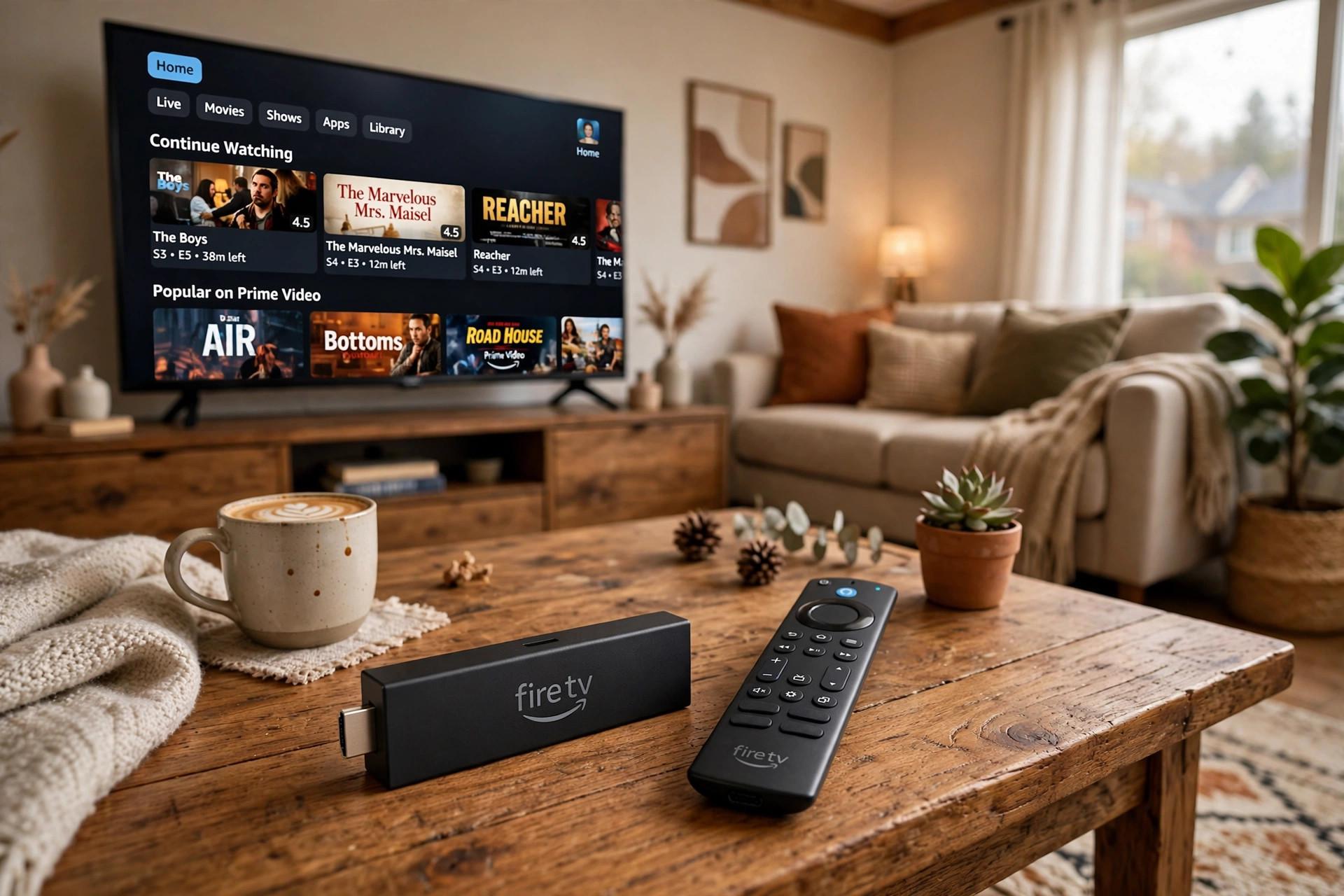
The Firestick is the device most American households use for IPTV, and the reason is simple: it is cheap, it plugs into any TV, and it turns an old set into a smart one. A Firestick 4K Max costs less than a month of cable, and it carries the IPTV app, the guide, the movies and the games, all on a remote with a handful of buttons. This guide covers the subscription from the Firestick's point of view: the plan that fits it, the setup in five steps, the cost, and the small settings that make the picture right on the most popular streaming stick in the USA.
The Firestick models matter, and the difference is the chip inside. The Fire TV Stick 4K Max is the one to buy: it plays 4K, it handles the guide without lag, and it has enough storage for the app and its data. The Fire TV Stick 4K is the step below it, and it plays 4K as well, with a slightly slower chip. The standard Fire TV Stick plays HD and Full HD, and it suits a smaller TV or a bedroom set. The Fire TV Cube is the fastest of all, with hands-free voice and the most storage, and it suits a household that uses the Firestick for everything. Any of them runs the service, and the plan is chosen by the TV and the internet, not by the stick.
Which plan fits a Firestick?
Premium is the plan that fits the Firestick 4K Max, because the stick plays 4K and Premium is the plan that carries the 4K streams. A 4K movie on a 65-inch TV, through a Firestick 4K Max, in a dark room, is the closest thing to a cinema that a living room gets, and Basic cannot show it, because Basic streams in HD and Full HD only. The price gap is $5 a month, or $40 a year, and the 4K streams, the extra channels and the pay-per-view nights are the parts the Firestick was bought to show. The Basic vs Premium comparison puts the two tiers side by side, so the choice can be made against the TV in the room.
Basic fits the Firestick in two situations. The first is a smaller TV: a 43-inch set in a bedroom, watched from the bed, where Full HD looks the same as 4K and the extra $5 a month buys nothing the eyes can see. The second is a slower connection: a 25 Mbps line that cannot carry a steady 4K stream, where the picture would buffer in 4K and play cleanly in HD. In both cases Basic at $14.99 a month or $59.99 a year is the right plan, and the $40 a year saved is real. The trial runs on Premium, so the test is to watch a 4K movie on the Firestick, from the sofa, and decide with your own eyes. If the difference is visible, take Premium. If it is not, take Basic.
Setting up IPTV on a Firestick in five steps
The setup takes five minutes, and it follows the same five steps on every Firestick model. First, open Settings, go to My Fire TV, open Developer Options, and turn on Apps from Unknown Sources. The Firestick warns you about unknown sources, and the warning is fair in general, but the app here comes from the provider, and the setting is the way the Firestick allows apps that are not in the Amazon Appstore. Second, install the Downloader app from the Amazon Appstore and open it. Third, download IBO Pro Player via Downloader (ask on WhatsApp for the current code) and press Go to start the download. Fourth, install IBO Pro Player, open it, and copy the MAC address and the key shown on the screen. Fifth, send the MAC and the key to support on WhatsApp, and the playlist is activated. Restart the app, and the channels load.
- Settings → My Fire TV → Developer Options → turn on Apps from Unknown Sources.
- Install the Downloader app from the Amazon Appstore and open it.
- Download IBO Pro Player via Downloader (ask on WhatsApp for the current code) and press Go.
- Install IBO Pro Player, open it, and copy the MAC address + key shown on screen.
- Send the MAC + key to us on WhatsApp — we activate your playlist, then restart the app.
If a step fails, the team installs it remotely for free. Send the Firestick details on WhatsApp — the model, and a photo of the screen if an error appears — and support walks through the step, or activates the playlist from their side. The most common failure is the Developer Options menu, which is hidden on newer Firesticks until the device name is tapped seven times in Settings, under My Fire TV and About. The second most common is the download code, which changes, and which support sends on WhatsApp. The installation guide gives the full steps with the same wording, and the installation help page lists the Firestick among the 13 supported devices.
The Firestick, the TV and the internet: getting the picture right
The picture on a Firestick is decided by three things: the stick, the TV and the internet. The stick must be the 4K Max for 4K, the TV must be a 4K TV to show it, and the internet must deliver a steady 25 Mbps to carry it. A Firestick 4K Max on a 1080p TV shows Full HD, because the TV cannot show more. A Firestick 4K Max on a 4K TV, on a 25 Mbps Wi-Fi connection two rooms from the router, will buffer, because the Wi-Fi cannot carry the stream. The fix is a wired connection: the Firestick 4K Max works with an Ethernet adapter, and a cable to the router gives the stick the full speed of the plan, without the walls in the way.
The settings on the Firestick matter too. Set the display to 4K in Settings, under Display and Sounds, so the stick outputs the resolution the TV can show. Turn off the screensaver timeout that cuts in during a long game, or set it to the longest delay. Clear the cache of the player app once a month, in Settings, under Applications, so the guide stays fast and the app does not slow down as its data grows. And keep the Firestick updated: the updates arrive automatically, and they carry the fixes that keep the apps running. A Firestick that is updated, wired and set to 4K is the best IPTV device most households will ever own, for the price of a takeaway.
How much does IPTV on a Firestick cost?
The subscription costs the same on a Firestick as on any other device: Premium $19.99 a month or $99.99 a year, Basic $14.99 a month or $59.99 a year, with two devices at $159.99 a year for Premium and four devices at $269.99. The Firestick itself is a one-time purchase, not a monthly cost, and the app is free to install. There is no setup fee, no activation fee, and no charge for help. A household with two Firesticks — one in the living room, one in the bedroom — needs the two-device year at $159.99 for Premium, so both sticks can play at the same time. A household with one Firestick needs the single-device year at $99.99, and there is nothing else to buy.
| Firestick setup | Plan | Price |
|---|---|---|
| 1 Firestick, Premium | 12 months, 1 device | $99.99 / year |
| 1 Firestick, Basic | 12 months, 1 device | $59.99 / year |
| 2 Firesticks, Premium | 12 months, 2 devices | $159.99 / year |
| 4 Firesticks, Premium | 12 months, 4 devices | $269.99 / year |
The cost that catches people out is not the subscription. It is the second Firestick, bought for the bedroom, and then used at the same time as the living room stick, on a single-device plan. The second screen shows a device-limit message, and the household pays for a second subscription instead of upgrading the plan. The upgrade from one Premium device to two is $60 a year, while a second single-device year is $99.99. The multi-device guide explains the upgrade, and the how many devices guide explains the limit, so the household buys the right size the first time. The cost guide lists every price, so the Firestick household can see the whole cost before it pays.
Firestick problems and the fixes that work
Three problems appear on Firesticks more than anywhere else, and all three have simple fixes. The first is buffering in the evenings: the fix is a wired Ethernet adapter, or moving the router closer, or turning the stream quality down from 4K to Full HD in the app settings for that night. The second is the app closing by itself: the fix is clearing the cache in Settings, under Applications, and restarting the Firestick by unplugging it for thirty seconds. The third is the guide showing the wrong programmes: the fix is a playlist refresh, which support can trigger from their side, or a restart of the app, which reloads the guide. If none of those work, message support on WhatsApp with the Firestick model, the app, and the time the problem happened, and the team checks the server for that hour.
The Firestick remote deserves a note, because it is the part of the setup that older viewers struggle with. The remote has a microphone button, and voice search works inside the player apps: hold the button and say the channel name, and the app finds it. The home button returns to the Firestick menu, and the back button returns inside the app, which is the way to free a device slot properly — pressing Home leaves the app running in the background, and the stream keeps counting. A household with an older viewer should set up favorites on the Firestick, so the guide opens on the ten channels that matter, and the remote becomes a matter of up, down and OK. The trial is the time to set that up, while support is a message away.
The Firestick verdict
The Firestick 4K Max, with a Premium subscription at $99.99 a year, is the cheapest way to get the best picture in an American living room. The stick costs less than a month of cable, the subscription costs less than a month of cable, and together they carry every channel, every game and every movie the house watches, in 4K, on the TV that is already on the wall. The setup takes five minutes, the trial costs nothing, and the team installs it for free if the household prefers. Start the trial on a Friday evening, watch the game in 4K, and the Firestick will make the case for itself before the night is over.